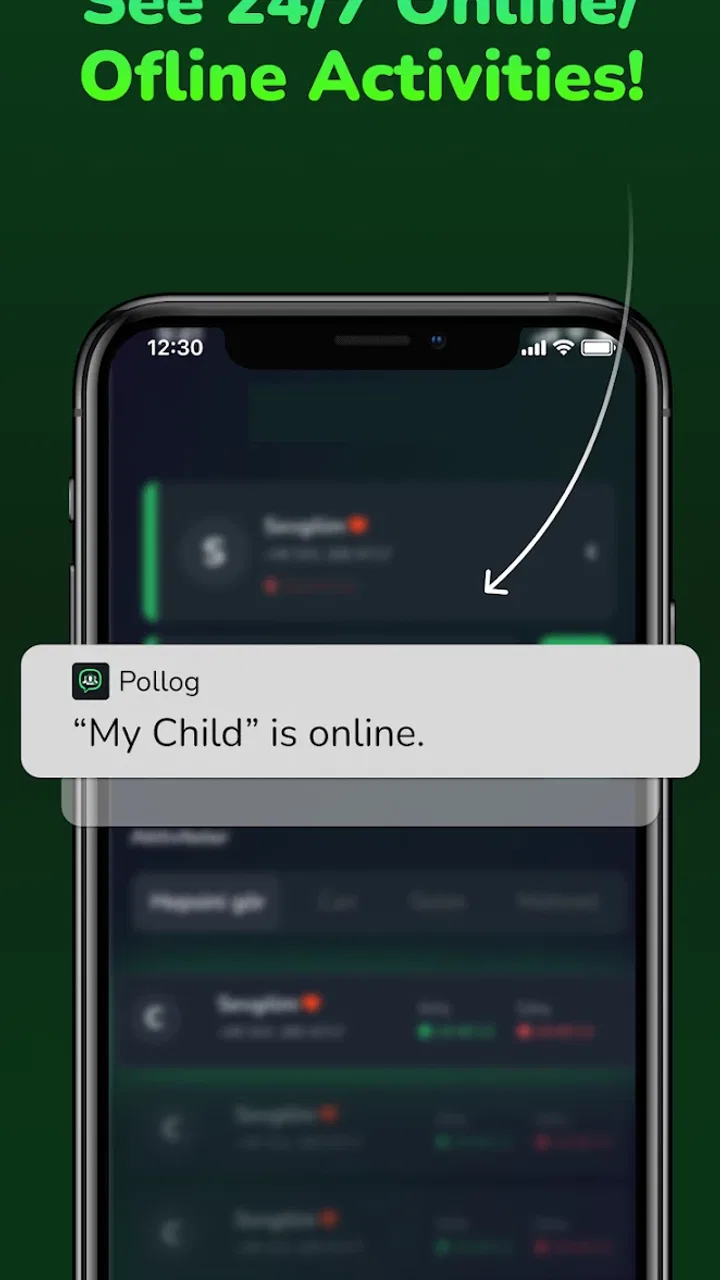
Pollog Family Assistant
- 4.2
- Rating
- 1.00M
- Installs
- Free
- Price

 Analysis by App-foxy
Family safety apps are easiest to appreciate when life becomes slightly messy: a child is travelling home, a parent is away from the phone, or everyone needs to stay coordinated without a long chain of messages. I spent time looking at how Pollog Family Assistant fits into those moments, with particular attention to the role of a reliable mobile connection. It is a free parenting app from Pollux Teknoloji, aimed at keeping family members connected and informed rather than replacing every other communication tool on a phone.
That distinction matters. A family assistant can feel reassuring when the people using it are connected and checking the right information, but it cannot remove the practical limits of mobile networks, battery life, attention, or family habits. My overall impression is that this is most useful for households that want a shared safety routine and are willing to agree on how the app should be used. It is less convincing for anyone expecting a completely automatic safety net.
How Pollog Family Assistant feels in everyday family life
The app sits in the parenting category, and its purpose is clear from the way it is positioned: helping families stay safer through connected mobile devices. It is suitable for everyone from an age-rating perspective, although the real audience is parents, guardians, and family members making practical decisions about communication and safety.
You May Also Like

 Blood Strike: 2.5 Anniversary
Blood Strike’s Loadouts Turn Every Drop Into a Tactical Gamble
A close look at Blood Strike’s custom loadouts: how fast access to signature weapons reshapes its battle royale rhythm, rewards preparation, and narrows the gap between fights.

 Pandora - Music & Podcasts
Pandora’s Music Is Easy to Start, but Harder to Recover
Pandora’s strength is its low-effort path from a seed to a station. Its weak spot is how much confidence it asks you to place in connection, setup, and quiet recovery.

 8 Ball Pool
 Is Built on Rivalries, Rematches, and Routine
A close look at the rivalries, rematches, shared routines, and unanswered safety questions that turn a quick pool match into a persistent mobile community.

 Samsung Music
’s Quiet Strength Is Playing What You Already Own
Its reach comes less from spectacle than from dependable access to a personal library. That simplicity is both the app’s strongest retention engine and its ceiling.

 AccuWeather: Weather Radar
AccuWeather Review: A Quick, Clear Forecast for Everyday Decisions
For everyday plans, the best forecast is the one you can understand quickly. AccuWeather makes rain timing, radar, and local conditions easy to act on, with a few trade-offs.

 Hill Climb Racing
Why Hill Climb Racing Still Turns Crashes Into One More Run
A tiny car, a bumpy hill and one more upgrade: Hill Climb Racing keeps resurfacing because its simple chaos makes every near-miss feel personal.
More From Our News Desk



Pollux Teknoloji released it on October 21, 2024, and the current version is 1.0.11. That makes it a relatively young product, so I approached it as something that may continue to develop rather than as a mature replacement for every established family-management habit. Its store presence is already substantial, with over a million installs and a 4.2 average from around 76 thousand ratings. Those figures suggest that many people find the basic idea useful, but they do not guarantee that every household will have the same experience.
The first thing I would tell a friend is to think of the app as part of a family agreement. Before relying on it, decide who will use it, when people are expected to check it, and what should happen if someone cannot respond. That small conversation is more important than simply installing the app. Without it, a parent may assume that a child has seen an alert, while the child may not even know that a response is expected.
Why the network matters more than the interface
Connected family tools are only as useful as the information that can move between the people using them. When a parent checks a family-related update during a normal day, the experience depends on the phone reaching the service and the other device being able to communicate in return. A good connection can make the app feel immediate; a weak signal can turn the same action into uncertainty.
This is especially important in places where coverage changes quickly. A child may leave home with a strong connection, enter a building with poor reception, and then travel through an area where the phone repeatedly reconnects. I would avoid treating a delayed update as proof that something is wrong. First, check whether the phone has a usable signal, whether it has power, and whether the person can respond through another agreed channel.
That is one of the less obvious trade-offs with a family assistant: it can reduce unnecessary calls when everything works, but it can also encourage people to watch the screen too closely when a status takes longer than expected. The healthiest routine is to use the app for planned check-ins and agreed safety steps, not to interpret every pause as an emergency.
A realistic trip home
Imagine a teenager leaving school while a parent is still at work. The family can use the app as one part of the journey routine: the child checks in at an agreed point, and the parent looks for that update instead of repeatedly calling. If the connection is stable, this is a calmer arrangement for both sides. The child does not need to answer several messages, and the parent has a clear moment at which to pay attention.
Now change the conditions. The child boards transport in a crowded area, the phone has little battery, and the signal becomes unreliable. The parent should not keep refreshing the app indefinitely. A better plan is to have a backup instruction agreed in advance, such as a normal call or text when the child reaches a known location. The app can support the routine, but it should not be the only route for urgent communication.
This scenario also shows why setup quality matters. Families should test their routine during an ordinary trip rather than waiting for a stressful day. Try a check-in from different places, confirm that everyone understands what counts as a response, and decide how long to wait before switching to the backup method. That kind of rehearsal is a practical advantage that is easy to overlook when focusing only on the app’s feature list.
Using it while moving around
Mobile context changes how useful any parenting app feels. At home, a parent can usually give the app attention and troubleshoot a problem. Outside, the user may be walking, driving, carrying bags, or sharing a phone with other tasks. I found that the best use is brief and deliberate: open it when there is a reason to check, complete the family action, and return attention to the real-world situation.
Parents should also avoid turning a child’s phone into a constant reporting device. A safety routine works better when it is predictable and proportionate. For example, a check-in before leaving one place and another after arriving can be easier to follow than frequent requests throughout the journey. Excessive checking may create frustration, and a frustrated child is more likely to ignore the routine altogether.
For younger users, the adult’s role is not just to install the app. They need to explain what the app is for in language the child understands. “Tell me when you arrive” is clearer than a vague instruction to keep the app active. For older children, it helps to explain why the routine exists and to agree on reasonable exceptions, such as school rules, exams, sports practice, or situations where handling a phone is unsafe.
When a connection fails
The most important recovery skill is knowing what not to assume. If information does not appear promptly, I would first check the basics: is the phone connected, is it powered, and is the person able to use it? If the answer is unclear, move to the family’s backup plan rather than repeatedly tapping the same screen.
A simple recovery sequence can prevent panic. Wait briefly, try again when the phone has a stronger connection, and contact the family member through the agreed alternative if the situation is time-sensitive. Once contact is restored, make a note of what happened. Was the problem caused by coverage, a low battery, a forgotten check-in, or confusion about the routine? The answer helps improve the family system more than blaming the app or the user.
There is also a human failure mode: people may believe that an app is running in the background and therefore stop communicating directly. I would not build a safety plan around that assumption. The app should complement ordinary calls and messages, especially when a family member is travelling somewhere unfamiliar or when an urgent answer is needed.
Another useful habit is to keep expectations visible. Parents can agree on a small number of situations that require attention and leave ordinary moments alone. This reduces notification fatigue and makes meaningful updates easier to notice. If every minor event is treated as equally important, the family may become less responsive when a genuinely important check-in is needed.
Being careful with mobile data and attention
Because this is a connected family app, I would include it in a household’s general data-conscious routine. Check how each person’s phone behaves on mobile data, pay attention to battery use, and avoid assuming that a phone with a connection is automatically ready for every family task. These are not glamorous details, but they affect whether a safety routine works at the end of a long day.
Battery planning is particularly practical. A child leaving for a long afternoon should have enough charge for the journey, not just enough to leave the house. A small power bank may be more valuable than another reminder. Parents should also remember that repeated checking can consume attention even when it does not consume much data. The goal is dependable communication, not constant supervision of a screen.
Privacy deserves a calm, direct conversation as well. Families should decide who is allowed to see family-related information, when it is appropriate to check it, and how long the routine should remain in place. Children are more likely to cooperate when the purpose and boundaries are clear. I would be cautious about using any family safety tool to monitor every movement simply because the technology makes checking easy.
The free starting price makes it approachable for families who want to try the service without committing money immediately. There are in-app purchases ranging from $3.99 to $13.99 per item, so I would review any optional purchase carefully and decide whether it solves a real need for the household. A paid option is worthwhile only if it improves the specific routine your family is trying to establish; paying by itself does not fix weak coverage or unclear expectations.
Where it is stronger than ordinary alternatives
The usual alternative is a mixture of calls, text messages, and perhaps a shared family chat. Those tools are familiar and often remain the best fallback because nearly everyone knows how to use them. Their weakness is organization: important updates can disappear among casual messages, and a parent may have to ask the same question repeatedly.
Pollog Family Assistant is more appealing when a household wants a dedicated place for family safety tasks rather than another conversation thread. That focus can make a routine easier to remember. Instead of searching through a busy chat, family members can approach the app with a specific purpose. This is a meaningful advantage for parents who want less message clutter.
On the other hand, a normal call is still better when tone and immediate conversation matter. If a child sounds upset, is lost, or needs a decision that cannot wait, speaking directly is more useful than waiting for an app-based update. A family chat is also better for broader planning, such as arranging dinner or discussing a change of schedule. I see the app as a focused layer, not a universal replacement.
Who should try it, and who should skip it
I would recommend trying it if your family has several phones, a recurring travel or pickup routine, and a genuine need to make safety check-ins more consistent. It may also suit parents who want to separate family-safety communication from general social messages. The free entry point lowers the risk of testing whether the routine fits your household.
I would be more cautious if your family already communicates reliably through calls and messages and does not struggle with missed check-ins. Adding another app could create more friction than value. It is also not the right choice for someone looking for a substitute for emergency services, a guarantee of continuous connectivity, or a tool that removes the need for judgment.
Families with very young children may need an adult to manage the routine closely, while families with older children may need to negotiate boundaries so the app does not feel intrusive. In both cases, success depends less on opening the app once and more on whether everyone understands the same process.
What I would do before relying on it
Install it on the phones that will actually be used, then agree on one ordinary situation for the first test.
Test the routine from home, outdoors, and a place where reception is known to be less dependable.
Decide what a delayed update means in your household and how long to wait before using a call or message.
Explain the routine to children without presenting the app as a replacement for common sense or direct contact.
Review optional purchases only after the free experience has shown a specific need.
These steps also answer a question many parents have after installation: will the app work simply because it is on the phone? No family safety app can be treated that way. The people, devices, network conditions, and agreed responses all matter. Setting up the human process first gives the software a fair chance to help.
My connectivity verdict
Pollog Family Assistant is a sensible app to consider when your main problem is keeping family safety check-ins organized across mobile devices. I like its focused role, approachable free entry point, and suitability for a routine such as a child travelling between familiar places. Its strongest value appears when everyone knows what to do and the connection is good enough for updates to move normally.
My reservation is equally clear: connectivity can create false confidence. A delayed update, low battery, or forgotten response can make the app feel less certain than a direct conversation. I would use it alongside ordinary calls and messages, with a simple recovery plan ready for weak-signal moments.
With that mindset, Pollog Family Assistant can become a useful part of a family’s safety habits rather than an overwhelming monitoring tool. It is free to begin, rated for everyone, and developed by Pollux Teknoloji, but the real test is personal: does it make your family’s existing routine clearer without adding more checking and confusion? If the answer is yes, it is worth trying. If your family already communicates smoothly or needs guaranteed emergency contact, a simpler alternative may serve you better.
FAQs for Pollog Family Assistant
01What is Pollog Family Assistant used for?
Pollog Family Assistant is designed to streamline family management tasks. It helps with scheduling, task assignments, and communication among family members. Users can create shared calendars, assign chores, and set reminders to ensure everyone stays on track. Its intuitive interface makes it easy for all family members to use, from kids to grandparents.
02Is Pollog Family Assistant available on both Android and iOS?
Yes, Pollog Family Assistant is available for both Android and iOS platforms. Users can download it from the Google Play Store for Android devices or the Apple App Store for iOS devices. This cross-platform availability ensures seamless access and synchronization across different devices within the family.
03How secure is the information shared on Pollog Family Assistant?
Pollog Family Assistant prioritizes user privacy and data security. It employs encryption protocols to protect information such as schedules, messages, and tasks. Additionally, the app requires user authentication to access family data, ensuring only authorized members can view and modify sensitive information.
04Does Pollog Family Assistant require a subscription?
Pollog Family Assistant offers both a free version with essential features and a premium subscription that unlocks additional functionalities. The premium version may include advanced features such as enhanced customization options, priority support, and expanded storage for family data. Users can choose based on their family’s needs.
05Can children use Pollog Family Assistant effectively?
Yes, Pollog Family Assistant is designed to be user-friendly for all ages. The app includes features specifically geared towards younger users, such as simplified task lists and visual reminders. Parents can manage access and permissions to ensure a safe and appropriate experience for their children.
Pros
- Intuitive user interface design.
- Efficient family task management.
- Customizable notifications.
- Supports multiple languages.
- Syncs across devices seamlessly.
Cons
- Limited free version features.
- Occasional sync delays.
- No offline mode available.
- Requires frequent updates.
- Higher battery consumption.

Pollog Family Assistant
Gallery